In the past people would mostly create art on portraits and
paper. As technology increased we developed the ability to draw using computers
and tablets. Using technology you can create art with less strain and more
freely. Computers depict pictures using image formats such as "jpeg", "png", and "gif" files that are created using data compression algorithms that can be done on
mostly every coding language. The important part here is that images are
created using algorithms and are essentially hunks of data. This means that an
image can be something other than an image.
Steganography is the process of encoding secret messages
that are more or less hidden unless you seek the hidden message. Steganography
applies to things such as invisible ink or a hidden picture in another picture,
but it can also apply to digital images. It is very possible that an image can
contain a virus or malware. All a person needs is an image, a virus as an
executable file, and merging program that will easily merge the two files
together. This is only one way of merging a virus into a file and there are many more. The good thing is that the image cannot spread the malicious
executable from just existing. The image must be executed so the virus can also
execute, so it is important to always scan everything after downloading which most
browsers and anti-viruses do automatically. Just remember that computer images
can also be malicious and to have updated anti-viruses.
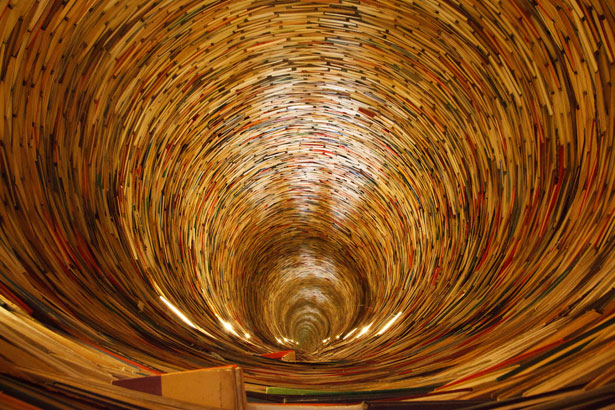 |
| Tooltip text that is shown when you hover over an image is also considered steganography. Try hovering over this image to see the hidden text. |

I really like your article talking about Steganography topic. It explains the definition of those graphics creating from computers. Because of the modern computers can create graphics, we expect to control the computer through icons and pictures rather than just by typing. People spend much of their time to improve the way computer pictures can simulate real world scenes. They want images on computers not just look more realistic but also to be more realistic in their color and the way different materials appear.
ReplyDeleteHi Matthew,
ReplyDeleteIt was really curious on reading your post title to know how to linked steganography to computer graphics. I really did not know that we can manipulate images to have viruses and malware. Does the image you posted have virus in it? What will happen if I download and execute it?
You post was informative and I learned few new things from the links you provided in this post.
Overall, you did a good job on this post!
Hi Matthew,
ReplyDeleteIt was nice reading your blog (mhcs100w) entry today about the topic of steganography. I found it very interesting. You bring up a lot of good points and mention a lot of insightful perspectives. Thank you for sharing the blog with me and the rest of the CS 100W/200W class.
Keep up the good work.
I wish you happy holidays and hope that you have a good winter break.
Sincerely,
Tim
Woah, interesting topic! I did not know that an image can contain a virus/malware. The article you linked showed how you can hide the virus together with another file like you mentioned however it has to be executable so that dulls my worries somewhat but it is still quite frightening to think that I need to be very careful on what I click and not to open files so haphazardly. I liked what you did with the picture to demonstrate steganography. Nice job on your post!
ReplyDelete